Yolo Devlog 02: From Recording a Day to Seeing It Clearly
Your time, in the end, becomes you.
It’s been six days since the last log. Yolo has gone from v0.1.1 to v0.4.0.
Looking at the version numbers, it seems like a big jump. But if I had to pick the three most important milestones: the AI can now actually do things, automated daily debriefs are live, and your data is now crystal clear at a single glance. Everything else is just details built around these three pillars.
I’ll order this write-up by the scale of the changes—big things first, small details last.
1. MCP: Moving from Read-Only to Read-Write
In my last post, Yolo’s MCP Server was read-only—the AI could see my tasks and time logs, but couldn’t modify them. Since v0.2.0, it can now write as well.
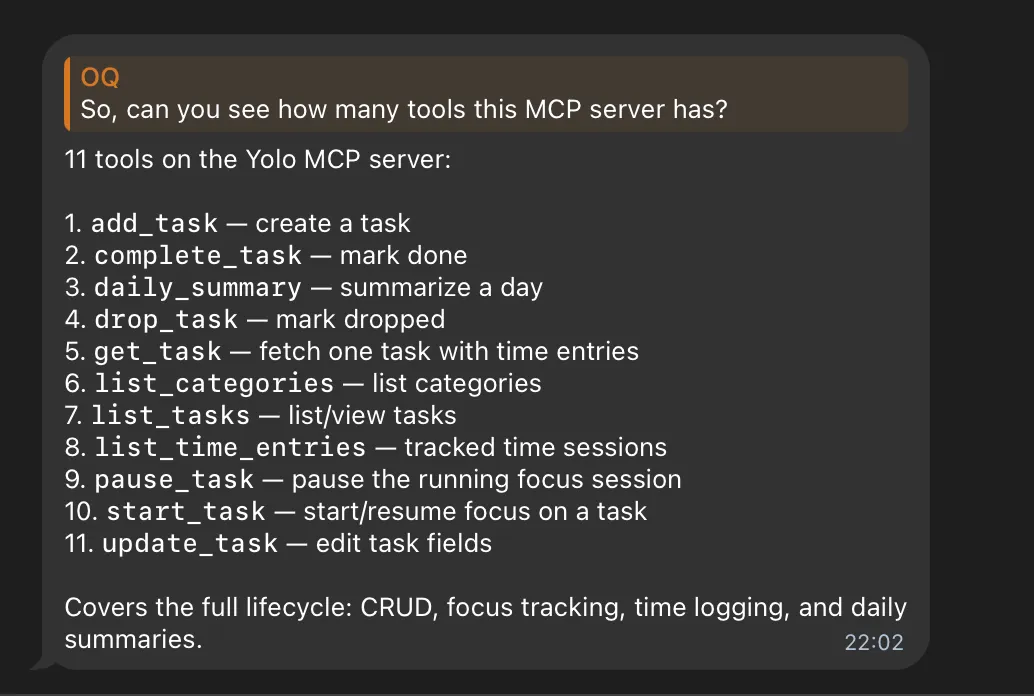
We now have six write tools: add_task, update_task, start_task, pause_task, complete_task, and drop_task. Combined with the five read-only tools from before, we have 11 tools in total, covering the entire lifecycle of task management.
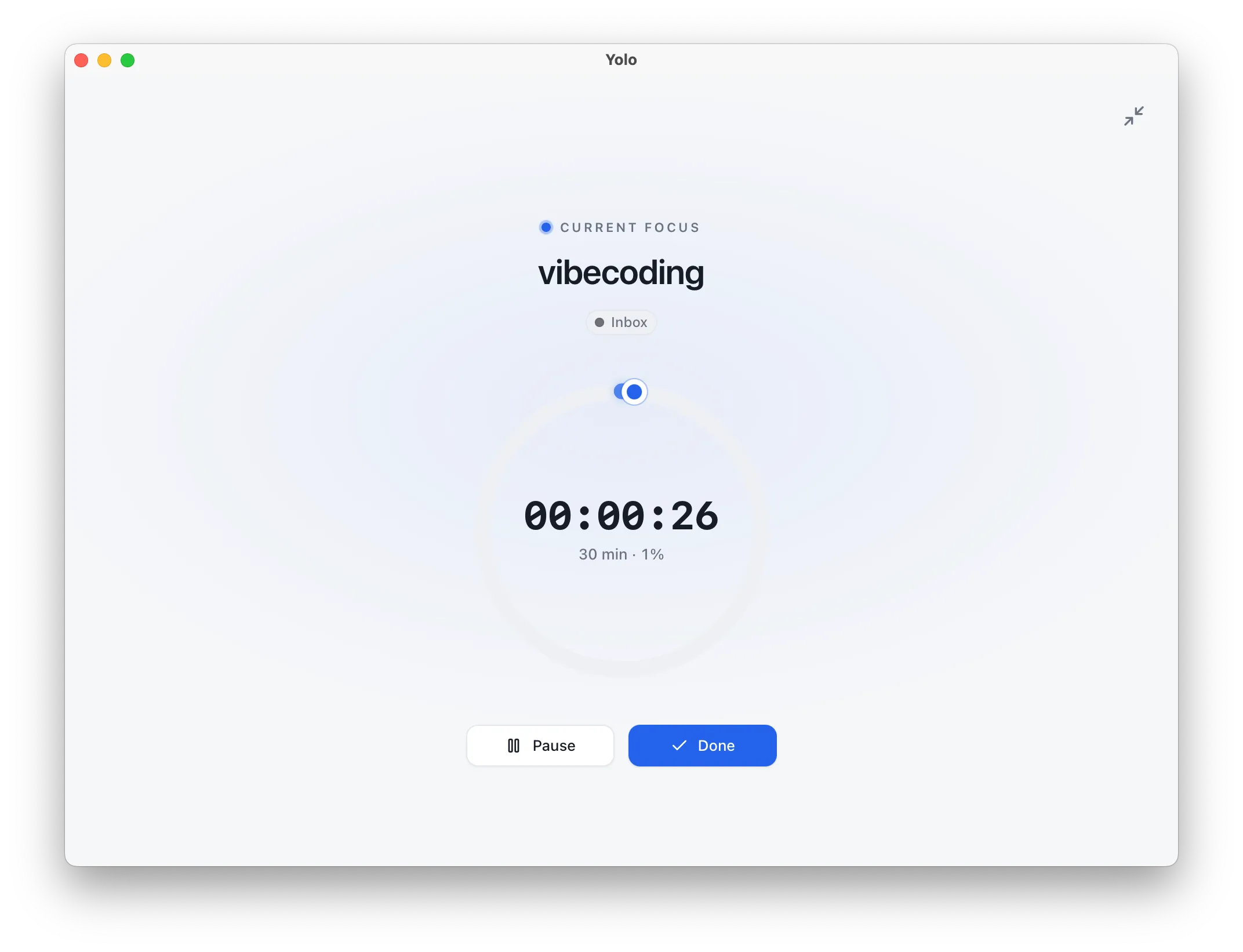
Once I hooked it up to Hermes, I sent a quick message on Telegram: “Create a 30-minute task called vibecoding and start it.” The task was created, and the timer started immediately. The AI was directly driving my task manager.
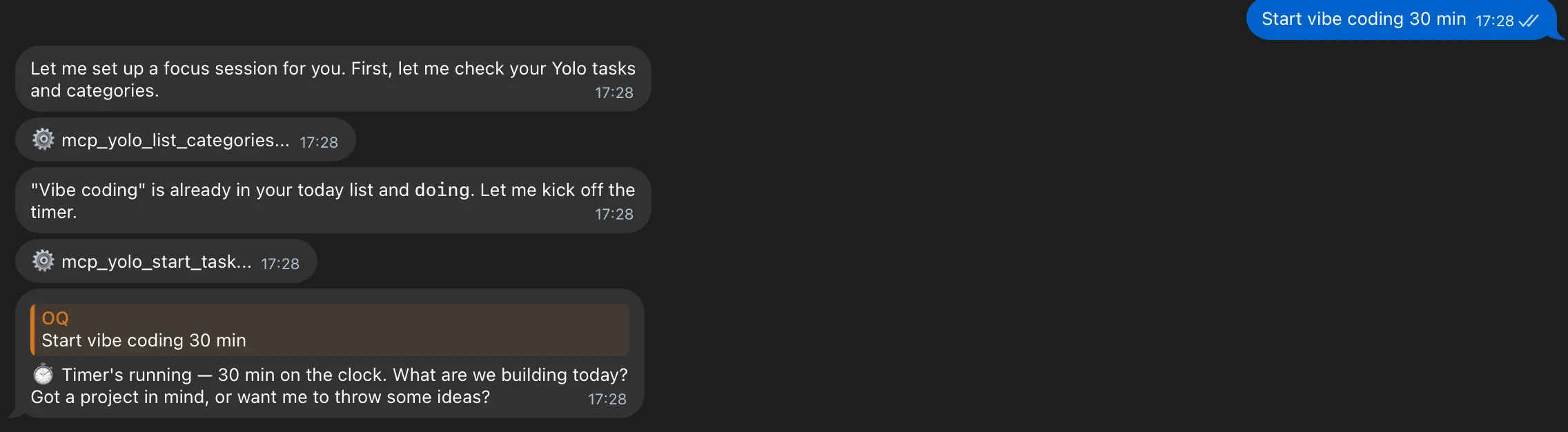
Integrating the Hermes Agent made one thing instantly clear: the friction of getting things done has plummeted. Before, I had to open the app, click buttons, fill in fields, and tweak the duration. Now, I just speak it into existence.
2. Daily Debrief: Automated End-of-Day Reviews
MCP lets the AI manage my day. But once the day is done, what then? I need to look back.
v0.4.0 introduces a new feature: Daily Debrief. It takes today’s tasks, sessions, and those quick stop-notes I jot down when pausing, and blends them into a brief, reflective summary. One debrief per day, stored in a dedicated daily_debriefs table.
This is the first time Yolo is actually leveraging AI-generated content, so I took the time to build a robust AI layer:
- Support for Anthropic, OpenAI, Gemini, and any OpenAI-compatible endpoints. The provider, API key, model, and base URL can all be configured in the AI section under Settings.
- 20 output languages to choose from, defaulting to the language of your own notes. When switching languages, only the section headings are translated, keeping task titles in their original form.
After implementing manual generation, I took it a step further: scheduled automated debriefs. With a single toggle and a set time in Settings, Yolo will automatically run your review every day.
I actually spent some time thinking through how AI generation should behave here.
Because LLMs can be unpredictable, generating multiple summaries from the exact same data source could yield vastly different results. This can confuse users and erode trust.
To address this, I made two adjustments:
- Dialed down the temperature to keep the output more consistent.
- Blocked regeneration if the underlying data source (like tasks or sessions) hasn’t changed.
3. My Day: Laying the Day Bare
A debrief is great as text, but sometimes you need structure.
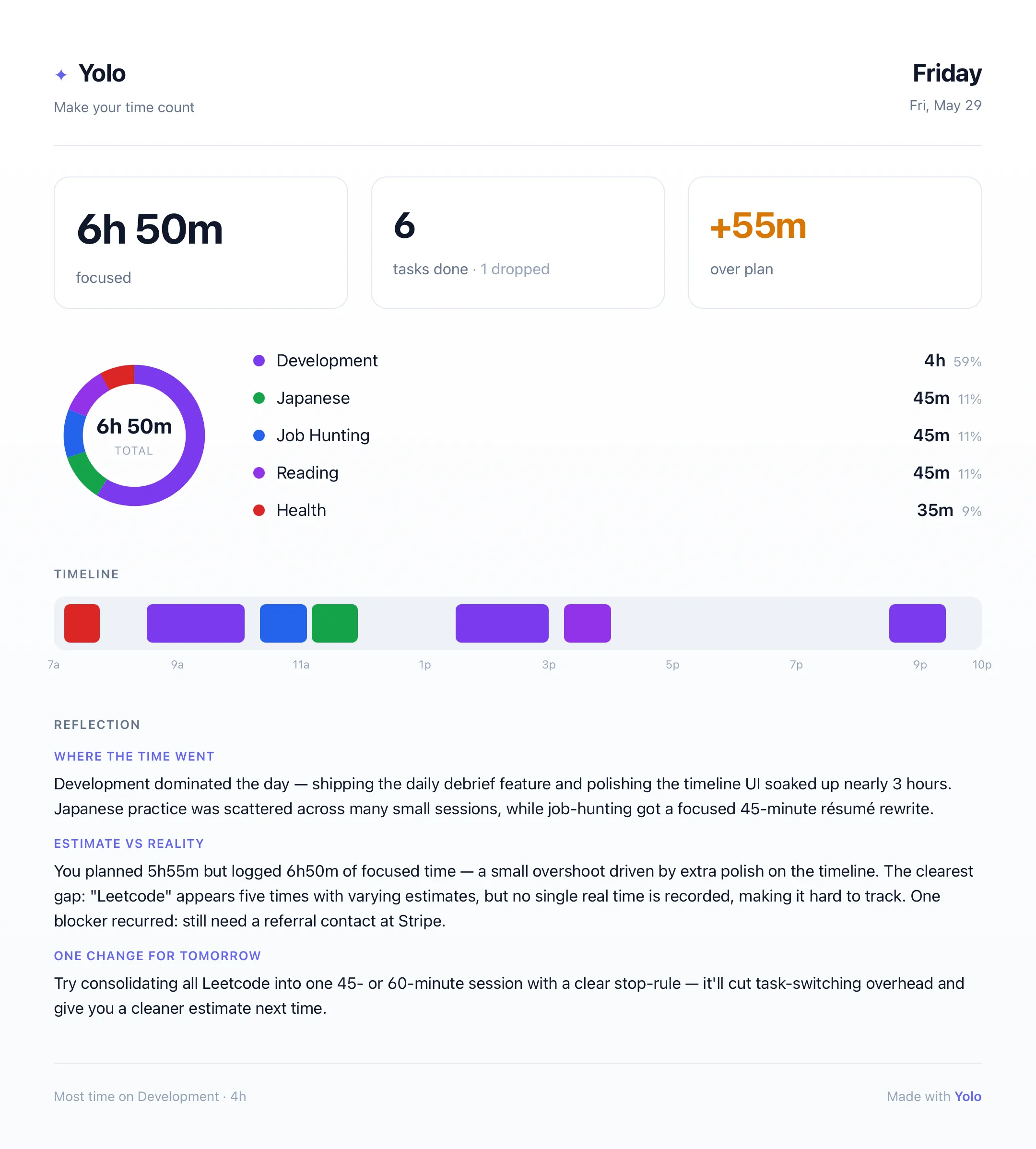
v0.4.0 also adds a My Day page. This is probably my favorite screen from the last three releases:
- Hero metrics at the top + date switcher
- A daily timeline showing exactly how your day unfolded
- A category donut chart showing where your time actually went
- Estimated vs. Actual—how long I thought it would take vs. how long it actually took
- A full list of sessions
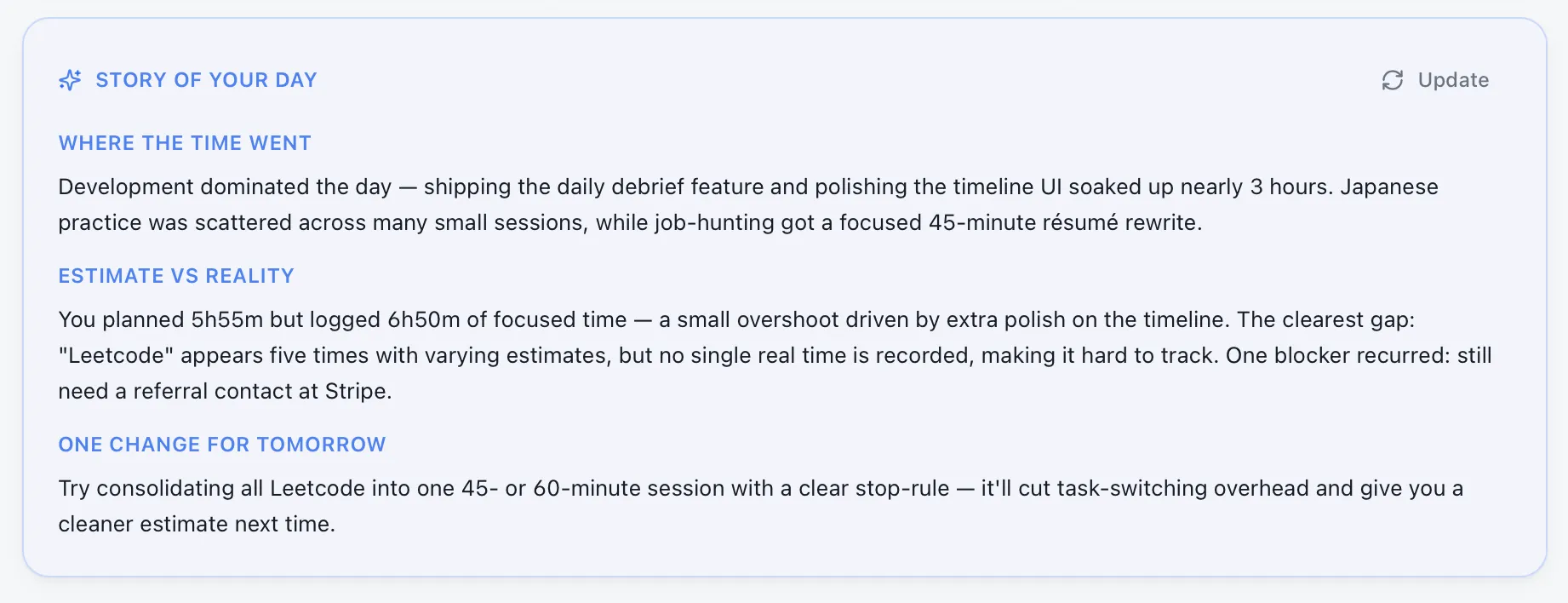
- An AI-generated narrative DayStory that weaves your day into a cohesive paragraph
- The ability to export the entire daily report as an image for sharing
This screen is what I mean by “seeing your day clearly.” All the tracking and logging eventually flow here: laid out flat, showing you the ground truth. (I used mock data from May 29th for the demo below.)
4. Injecting Warmth into the Focus Loop
Those were the major updates. Now for the medium-sized ones.
Before v0.2.0, Yolo’s focus loop felt cold—it worked, but it felt weightless. So the first thing I did wasn’t adding features, but adding “emotion.”
- The Moment of Commitment: When starting a new session, the focus ring glows with a soft halo, accompanied by a whispered prompt. Note that this only happens on a fresh start—resuming or reopening a session doesn’t trigger it.
- Celebrating Completion: The completion animation only triggers when you explicitly click “Mark as done.” It respects system-level “reduce motion” preferences. Completion should be acknowledged, but it shouldn’t feel cheap.
- The Lifeline: A subtle header at the top of the Today page reading “Week N / ~M Weeks.” A gentle reminder that what you are spending is a finite resource.
Alongside these, I worked on making the core loop smoother:
- A full-screen Zen Mode for individual sessions (exit via Esc or the close button in the corner).
- Streamlining focus controls to just Pause + Done. I got rid of the redundant Stop button and the instant-complete “Done”—now, every completion requires running through a quick review. A task is only truly finished once you leave some reflection.
- Added desktop notification permissions flow and task reminders.
Individually, these changes seem tiny. But together, they make Yolo feel less like a sterile tool. It doesn’t nag or judge; it just quietly documents your journey, giving you a tiny spark of positive reinforcement when you finish.

Regarding that focus ring in the center, I actually experimented with a version where it slowly depleted—starting as a full circle and gradually shrinking as time ticked away, sort of like burning incense. That feeling of “life and time draining away” aligned well with the YOLO theme: every second is irreversible; once it’s gone, it’s gone. But after seeing it in action and thinking on it, I realized I wanted to convey completion rather than consumption. Accomplishing something isn’t about burning resources; it’s about building them. So I reverted the ring to its original fill-up behavior.
5. The Small Things Along the Way
Finally, a few smaller tweaks that I care just as much about.
The About Page. Just a single screen: what Yolo is, why I built it, and how to use it. No registration, no pricing models, no team bios. I wanted anyone to grasp the core concept within 30 seconds.
Clickable, Editable Today Logs. Previously look-only, now every entry acts as a button. Clicking it reveals the notes, blockers, next actions, and completion rate logged at the time—and you can edit them. You can go back and add a blocker you didn’t have time to write in the moment. It’s still a true record, just a more complete one.
Closing Thoughts
During development, I found myself wondering: is emphasizing time this much just going to breed anxiety?
Ultimately, it depends entirely on your perspective and mindset.
Whether you track it or not, every day is still exactly 24 hours. For me, the problem I want to solve is simple: I want to audit where my time goes, just like looking at a bank statement.
Your time, in the end, becomes you.
Previous post: Yolo Devlog 01: Tracking from Today